
Content creation
Brand documents
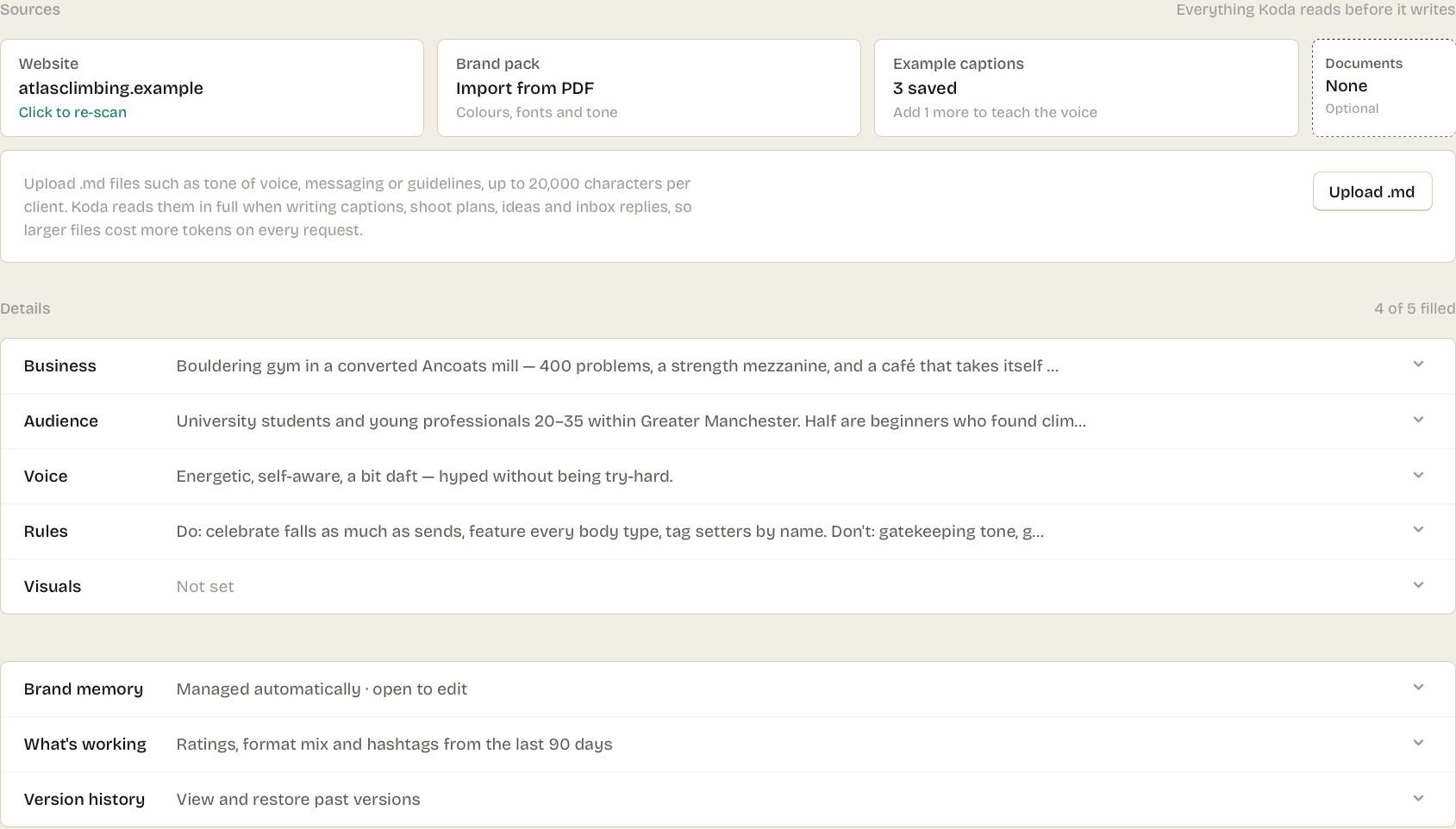
Upload a client's tone of voice guide, messaging or guidelines as .md files so Koda reads them in full every time it writes.
Brand documents are for detail that doesn't fit in the profile: a tone of voice guide, key messages, banned words, product naming. Koda reads them in full every time it writes a caption, shoot plan, idea or inbox reply for that client.
Upload a document
- Open the Brand tab (under Setup in the client sidebar).
- Under Sources, click the Documents tile.
- Click Upload .md and choose one or more files.
Each document appears in a list with its approximate token cost, when it was added and who added it. Click a document to read it, or Remove to stop Koda reading it from the next request.
Only .md files
Documents must be Markdown (.md) files. If your guidelines are in Word or Google Docs, export or copy them into a plain text file saved with a .md ending. Headings and bullet points in Markdown help the AI find its way around.
For colours and fonts from a PDF brand pack, use the Brand pack tile instead. See set up a client's brand.
The size limit and why it matters
All of a client's documents together can be up to 20,000 characters. If an upload would take the client over that, Koda says so and you'll need to trim or remove a document first.
Size matters more than it looks. Because documents are sent in full with every AI request for the client, a long document uses up your monthly AI allowance faster on every caption, plan, idea and reply. The panel shows roughly how many tokens the documents add to each request.
If a client's documents are over the limit (possible for documents added before the limit existed), the panel warns you. Only the first 20,000 characters reach the AI and the rest is cut, so trim them to make sure nothing important is lost.
Who can upload
Admins, and staff with the edit clients permission, can upload and remove documents. Client viewers can't see them.
Still stuck? Email [email protected] and we'll help.