
Planning and publishing
Feed preview
How to use the Feed preview tab to see upcoming posts on a mock of the client's Instagram or TikTok grid, rearrange the grid and pin posts.
Feed preview shows how upcoming posts will sit next to what's already live on the client's profile. It's useful for checking the grid looks balanced before anything goes out, and for showing your client the plan.
Open the feed preview
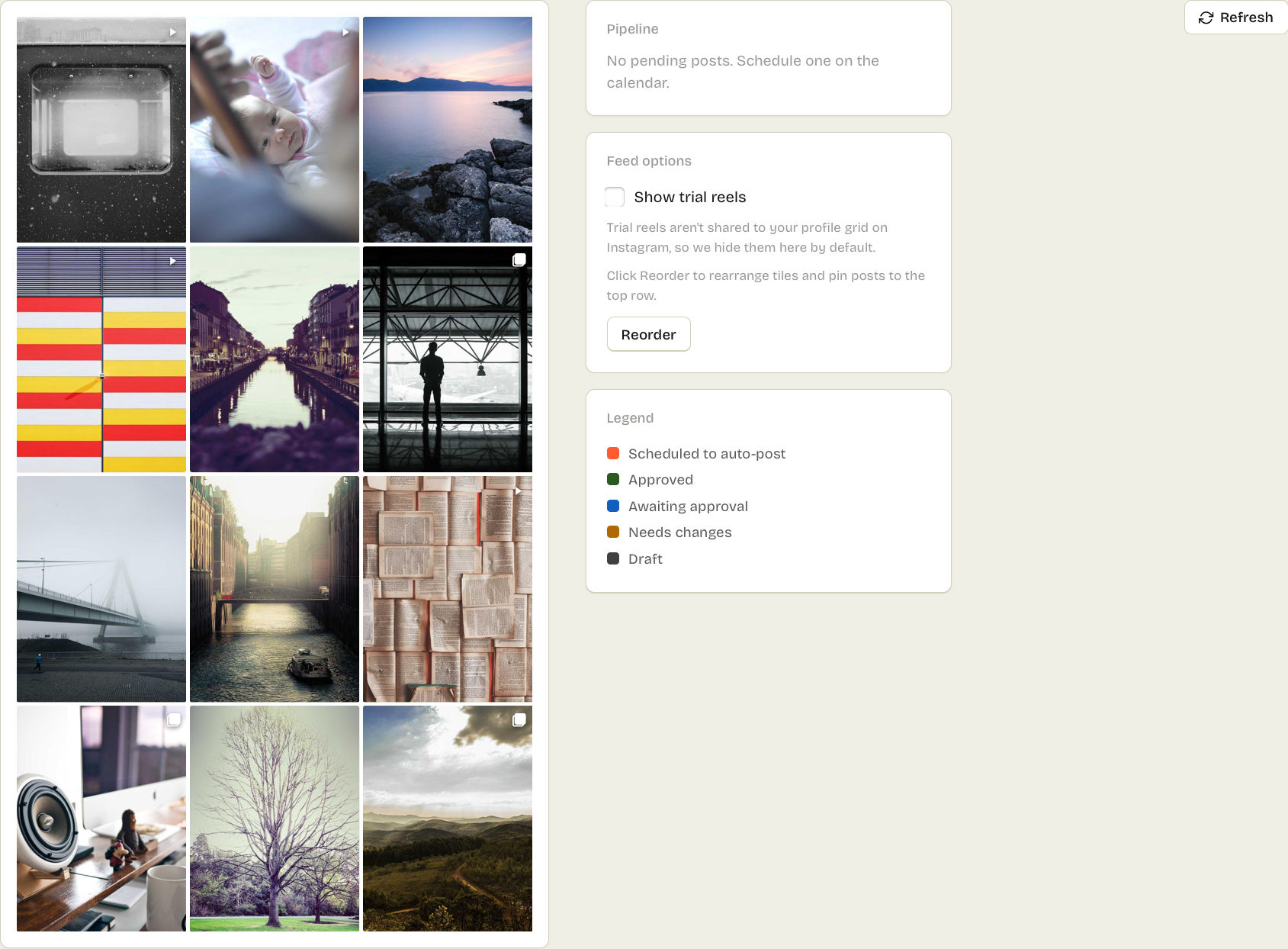
Open a client and click Feed preview (under Daily in the client sidebar). You'll see a phone-sized grid of upcoming and live posts together, newest date first.
If the client has both Instagram and TikTok connected, tabs at the top switch between the two grids. Click Refresh to reload.
What appears in the grid
Upcoming posts show with a badge for where they are in the workflow: Scheduled, Awaiting approval, Approved, Needs changes or Draft, plus their date. Click one to open it in the composer. Click a live post to open it on Instagram or TikTok.
The Instagram grid shows posts going to Instagram that would appear on the profile grid:
- Static posts show the image.
- Carousels show their first image slide.
- Reels show their cover. Set a cover in the composer so a reel looks the way it will on the grid.
- Stories never appear, because they don't go on the grid.
The grid shows 12 tiles. Once a post publishes it drops its badge and appears with the live posts.
The TikTok grid shows upcoming TikTok posts and the account's live videos with their view counts, also by date.
Rearrange and pin
On the Instagram grid you can try out a different order:
- Click Reorder in the side panel.
- Drag tiles to move them. On a phone, press and hold a tile, then drag.
- Click the pin on a tile to lock it to the top row, like pinned posts on Instagram. You can pin up to 3.
- Click Done when you're finished, or Reset order to go back to date order.
Koda saves the arrangement for the client. New posts slot into it by date. It's a planning view: reordering here doesn't change publish dates or the order on Instagram.
The side panel
- Pipeline counts upcoming posts by status.
- Up next lists the next five posts by date. Click one to open it.
- Feed options has Show trial reels. Trial reels aren't shared to the profile grid on Instagram, so they're hidden by default.
Live posts
To show the client's live posts, connect Instagram (or TikTok) in Integrations. Without a connection you'll still see upcoming posts. See Connect Instagram.
What your client sees
Client viewers with feed preview access see the same grid in the arrangement you saved, but can't reorder or pin it.
Still stuck? Email [email protected] and we'll help.