
Connecting accounts
Connecting social accounts
How the Integrations tab works, and what connecting Instagram, Facebook, TikTok, LinkedIn and YouTube unlocks for each client.
Each client in Koda has its own social connections. Connecting an account lets Koda publish your scheduled posts, pull in analytics and fill the inbox for that client.
Where to find it
Open a client, then click Integrations (under Setup in the client sidebar). You'll see one row per platform: Instagram, Facebook, TikTok, LinkedIn and YouTube.
The line at the top tells you how many are connected, for example "1 of 5 connected.", and suggests which platform to do next. A connected row shows a Connected badge. Click the row to open it and see View analytics and Disconnect.
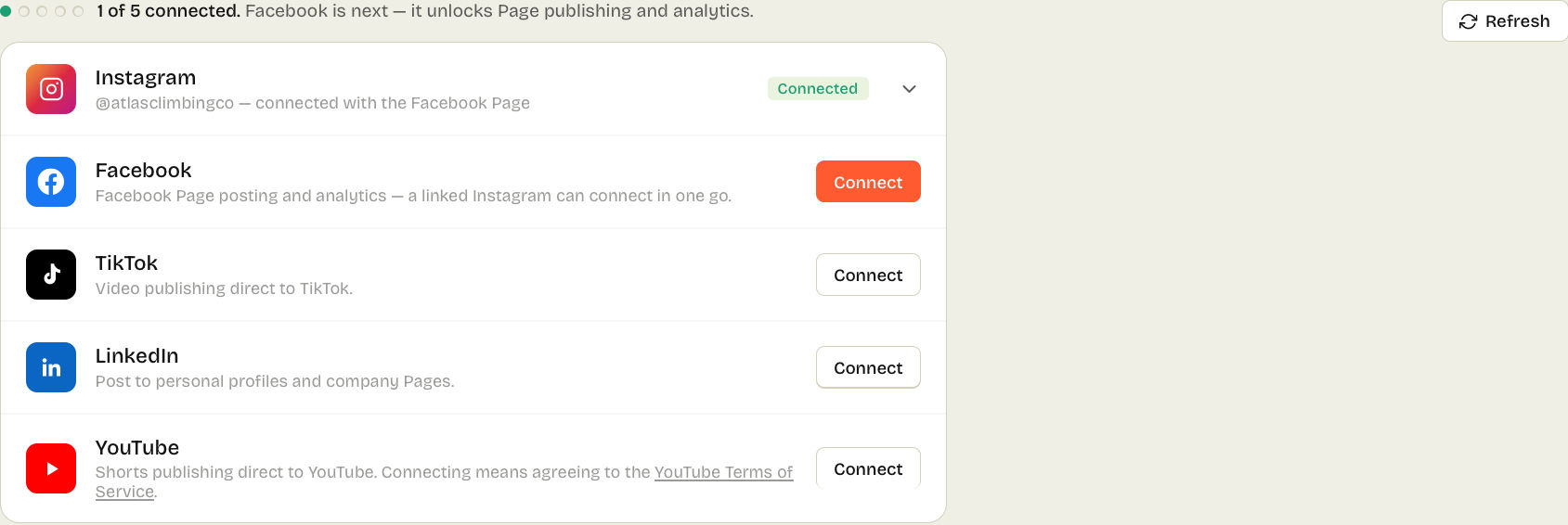
Admins and staff who can access the client can connect and disconnect accounts. Client viewers don't see the Integrations tab.
What each platform unlocks
| Platform | Publishing | Analytics | Inbox |
|---|---|---|---|
| Feed posts, carousels, Reels and stories | Yes | Comments and DMs | |
| Page posts, including photos, videos and stories | Yes | Messenger conversations | |
| TikTok | Videos and photo posts | Yes | No |
| Personal profile, company Page, or both | Yes | No | |
| YouTube | Shorts and regular videos | Yes | No |
Instagram must be a Business or Creator account. Personal Instagram accounts can't be connected.
Two ways to connect
Click Connect on a row and Koda asks who's doing the connecting:
- My client connects: Koda emails your client a one-tap link. They log in on their own phone or computer, and you never need their password. See sending your client a connect link.
- I'll log in for them: you log in to the platform yourself, right now. Use this when you already have the login details.
On the Personal plan the choices read Log in and Connecting for someone else? instead, because you're usually connecting your own accounts.
On the iPhone app
In the Koda iPhone app, connecting opens Safari to finish the login. If Safari doesn't open on its own, tap Open Safari on the message that appears. When you switch back to the app, Integrations refreshes.
Platform guides
Still stuck? Email [email protected] and we'll help.