
Team and account
Organisation settings
Change your organisation's name and contact details, brand your client reports with your logo and colours, check plan usage, and delete your organisation.
Organisation settings apply to everyone in your workspace. Admins open them from Organisation in the workspace sidebar (under Settings). Staff don't see this page.
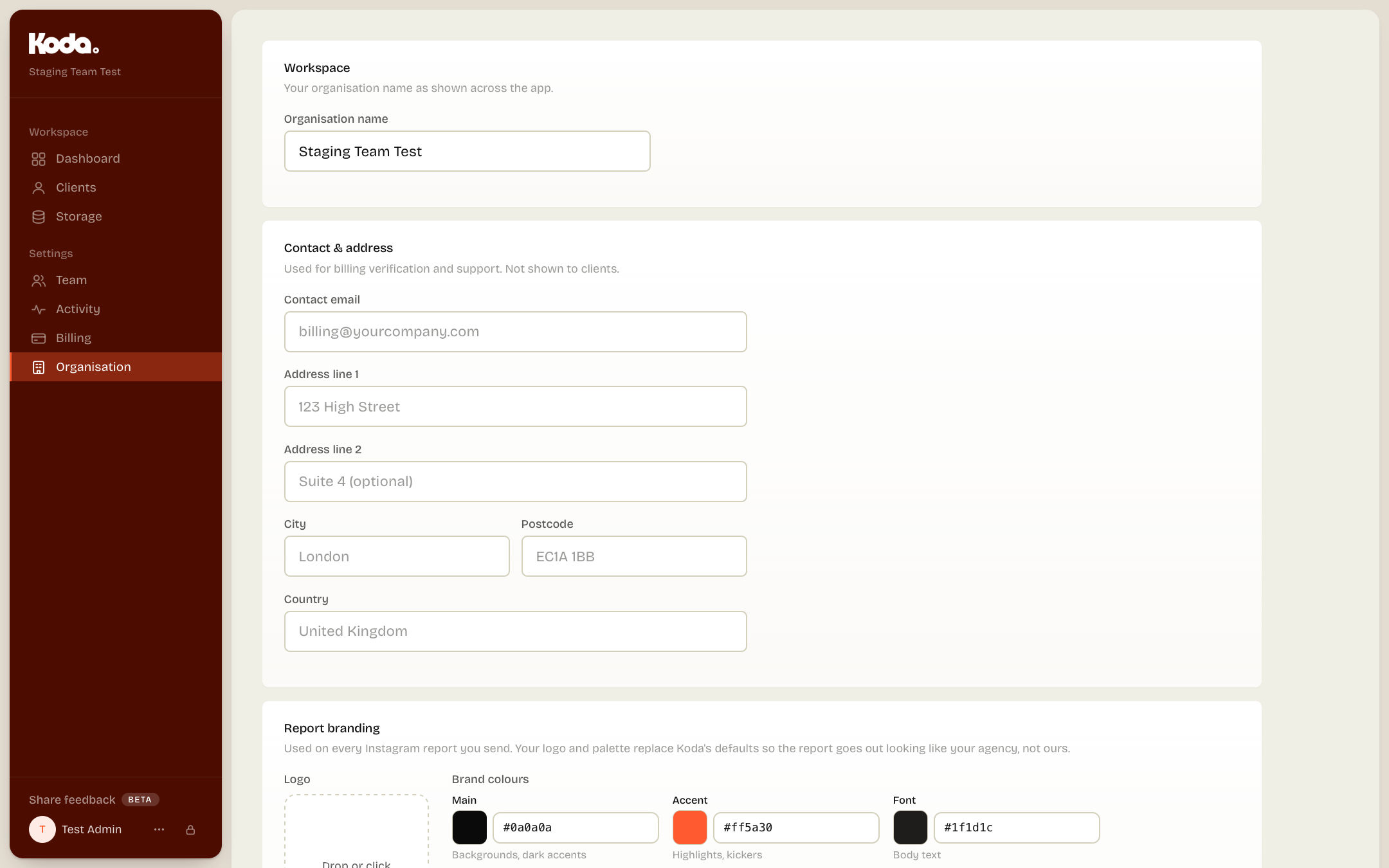
Name and contact details
- Organisation name: shown across the app, and what your clients see on approvals and reports.
- Contact email and address: used for billing verification and support. They're never shown to clients.
Click Save changes at the bottom of the page when you're done.
Report branding
Your logo and colours replace Koda's on every Instagram report you send, so reports go out looking like your agency.
- Under Logo, click the tile and choose a PNG. A 500×500 image with a transparent background works best. It uploads straight away.
- Under Brand colours, set Main (backgrounds and dark accents), Accent (highlights) and Font (body text). Use the colour picker or type a hex value such as
#ff5a30. - Click Save changes.
Logos must be PNG files under 3MB, between 64 and 3,000 pixels on each side. Click Remove logo to go back to the default look.
Plan usage
Plan usage shows this month's usage against your plan's limits:
- Clients: how many clients you have, out of your plan's allowance.
- Team members: seats used, including pending invites.
- Brand intelligence usage this month: how much of your monthly AI allowance you've used for captions, ideas and other writing. It resets each month.
Your plan, payment method and invoices are on the Billing page. Click Manage billing to go there.
Delete your organisation
Deleting an organisation removes all of its clients, posts and data for good.
- If your organisation is less than 90 days old and you're the only team member, you'll see Delete organisation. It deletes everything straight away and can't be undone.
- Otherwise you'll see Request deletion. Koda's team is notified and will action it. Your data stays live until then.
Still stuck? Email [email protected] and we'll help.